PocketMac Join the iPhone beta

Your Mac.
Close at hand.

Its screen, files, apps and power, on your iPhone.

Join the iPhone beta

Mac helper: not out yet

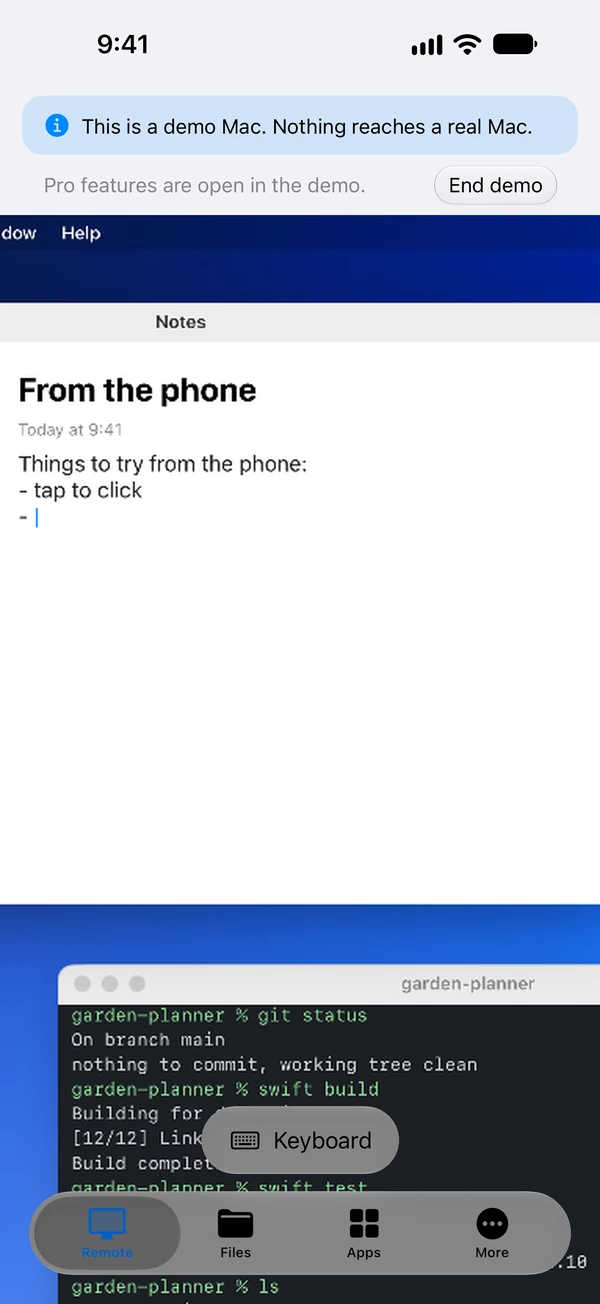
PocketMac's Remote tab in the demo, zoomed in on the made-up Mac's Notes window and terminal.
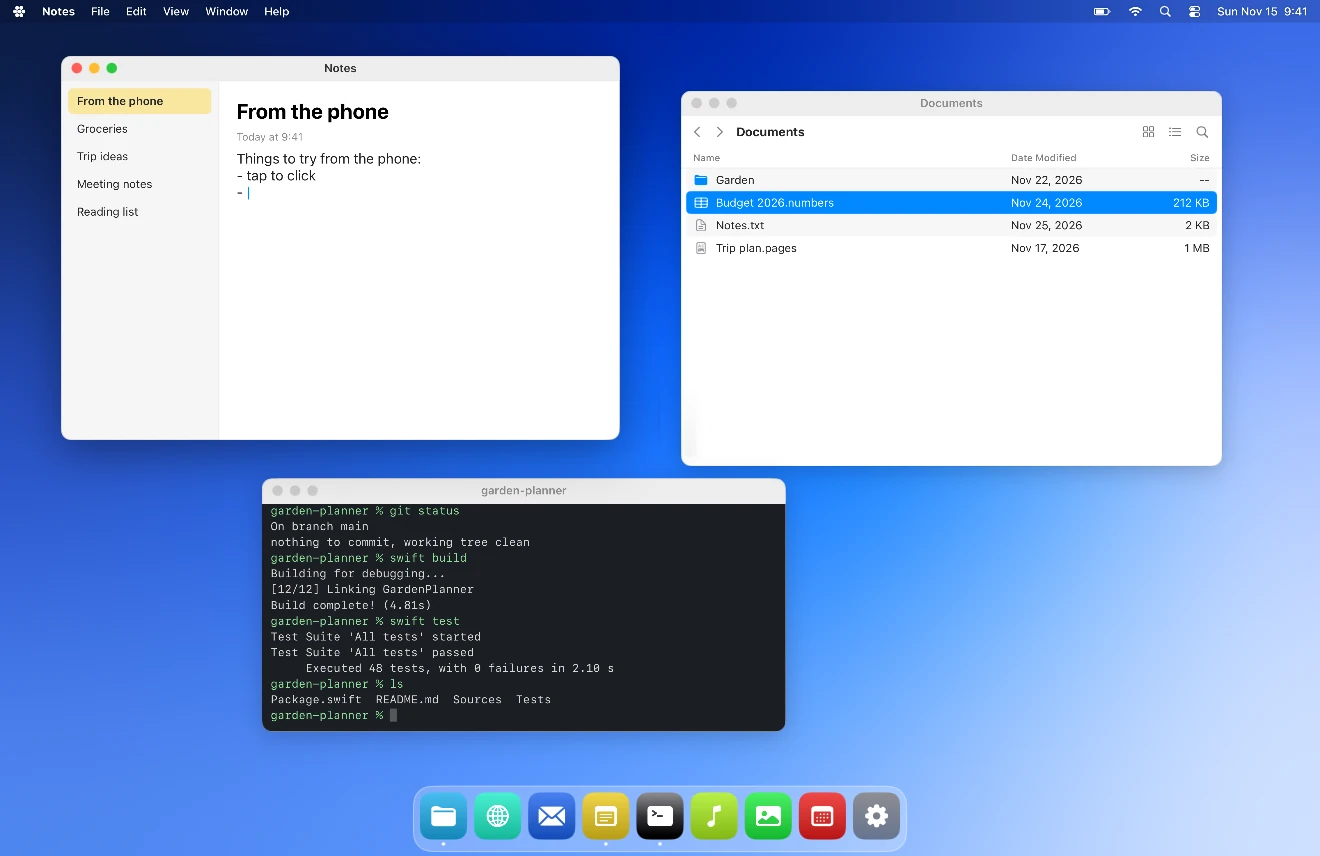
The demo's made-up Mac: a Notes window, a Documents window, a terminal and the Dock.
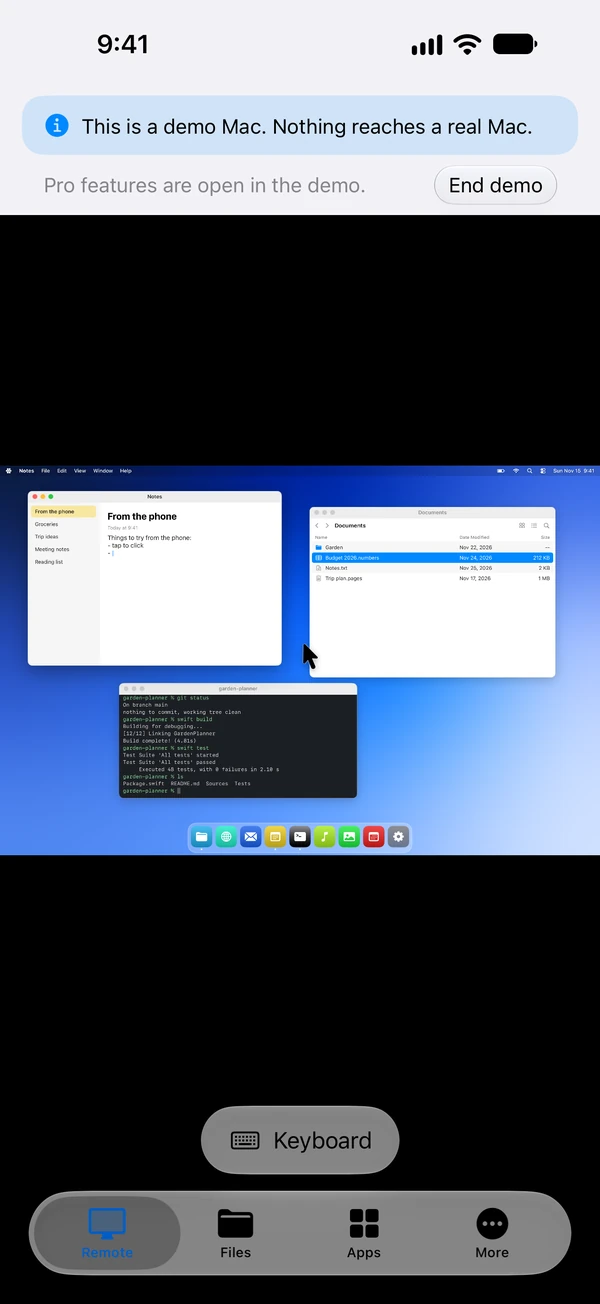
PocketMac's Remote tab in the demo: the made-up Mac's whole screen, the Keyboard button and the four tabs.

The Remote tab

Tap to click, drag to move the pointer, and type into the front window.
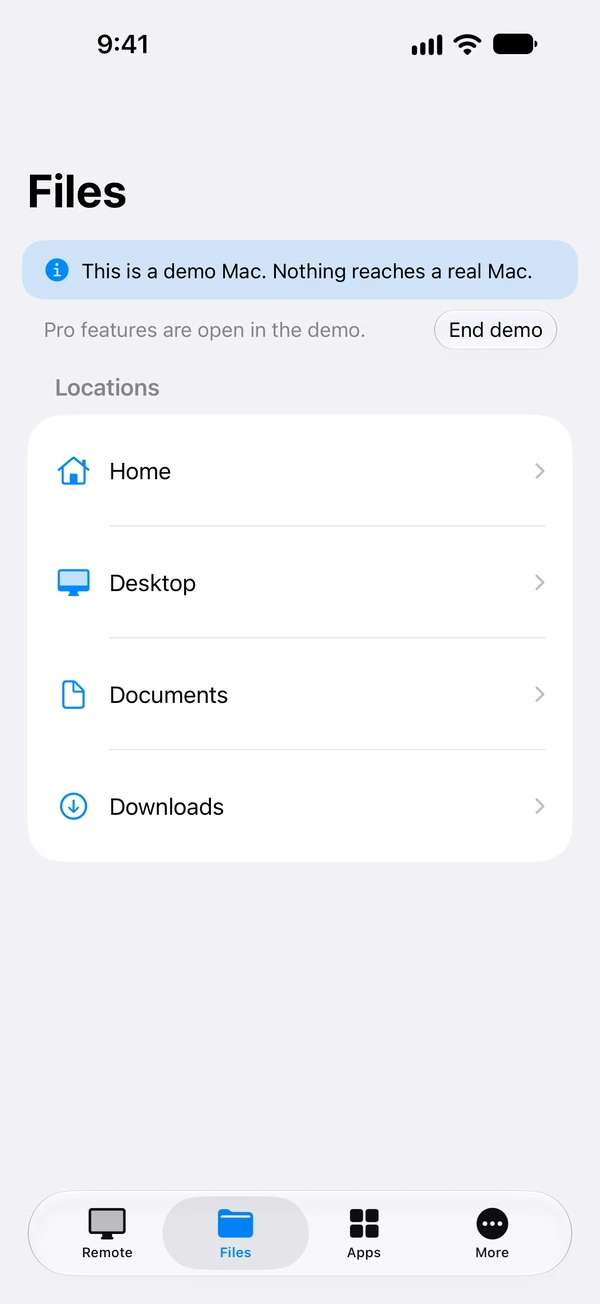
Files in the demo: Home, Desktop, Documents and Downloads on the made-up Mac.

Your Mac's files

Save up to 20 files at once on your iPhone, or put photos into any folder of your Mac.
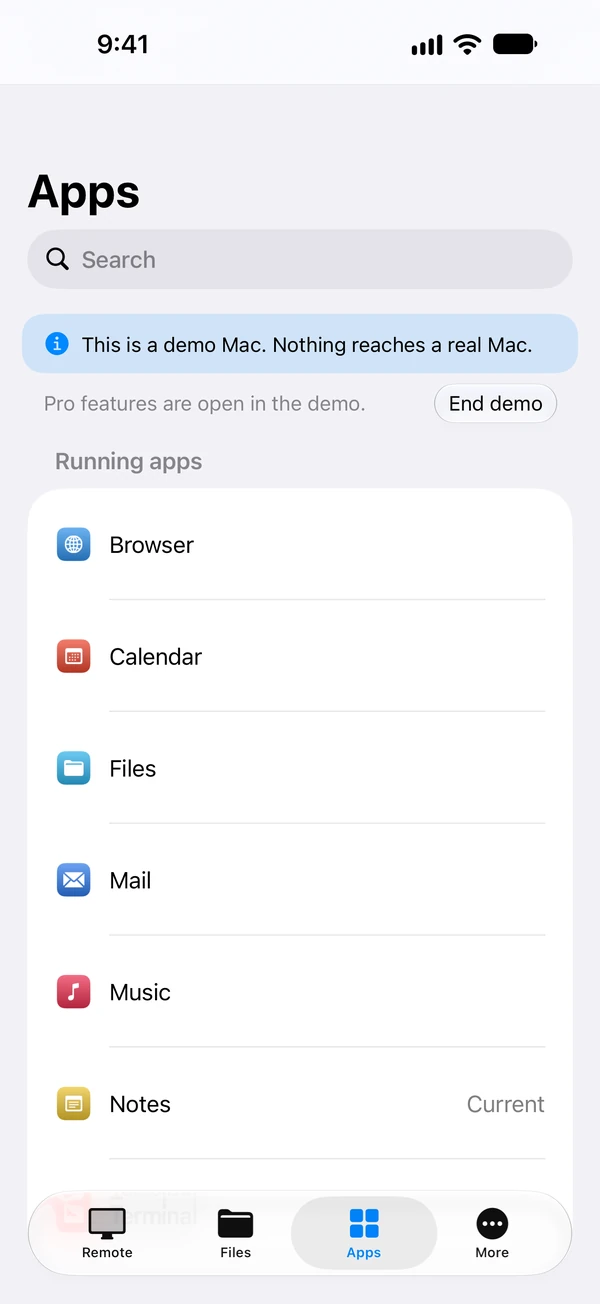
Apps in the demo: a search field and the made-up Mac's running apps, from Browser to Notes.

Running apps

Tap an app in the list to bring it to the front of your Mac.
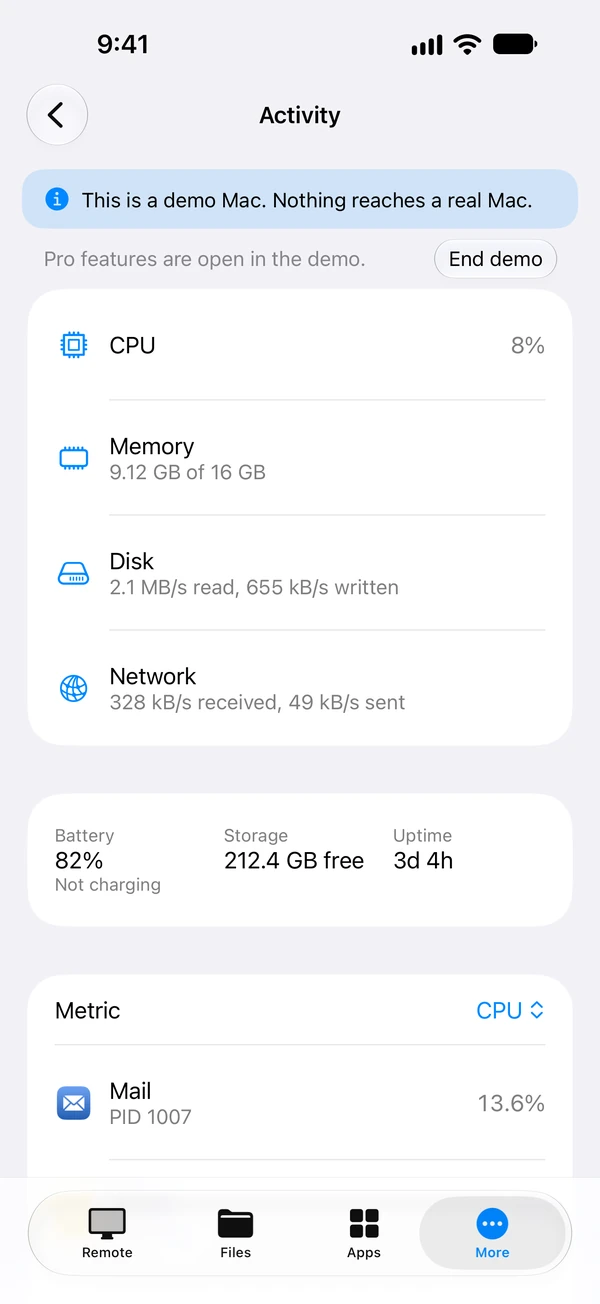
Activity in the demo: CPU, memory, disk and network, then battery, storage, uptime and the busiest process.

What your Mac is doing

Find the process that keeps your Mac's CPU or memory busy.
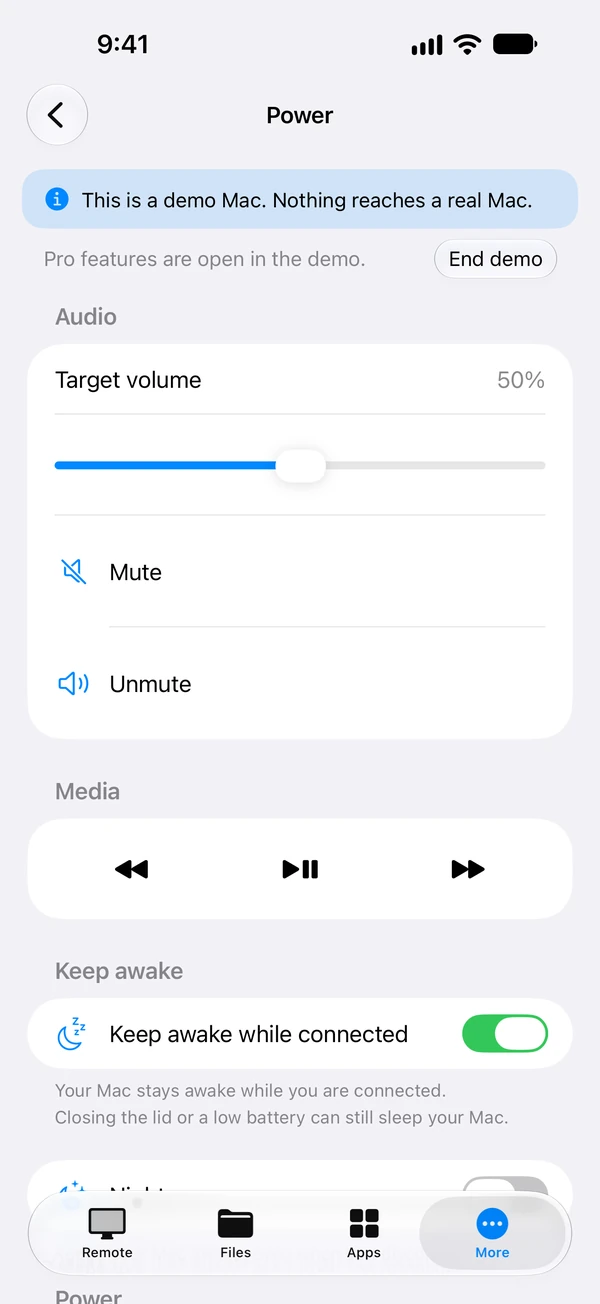
Power in the demo: the volume, Mute and Unmute, the media keys and Keep awake while connected.

Volume, media and power

Set the volume, play or skip music, and keep your Mac awake while you work.
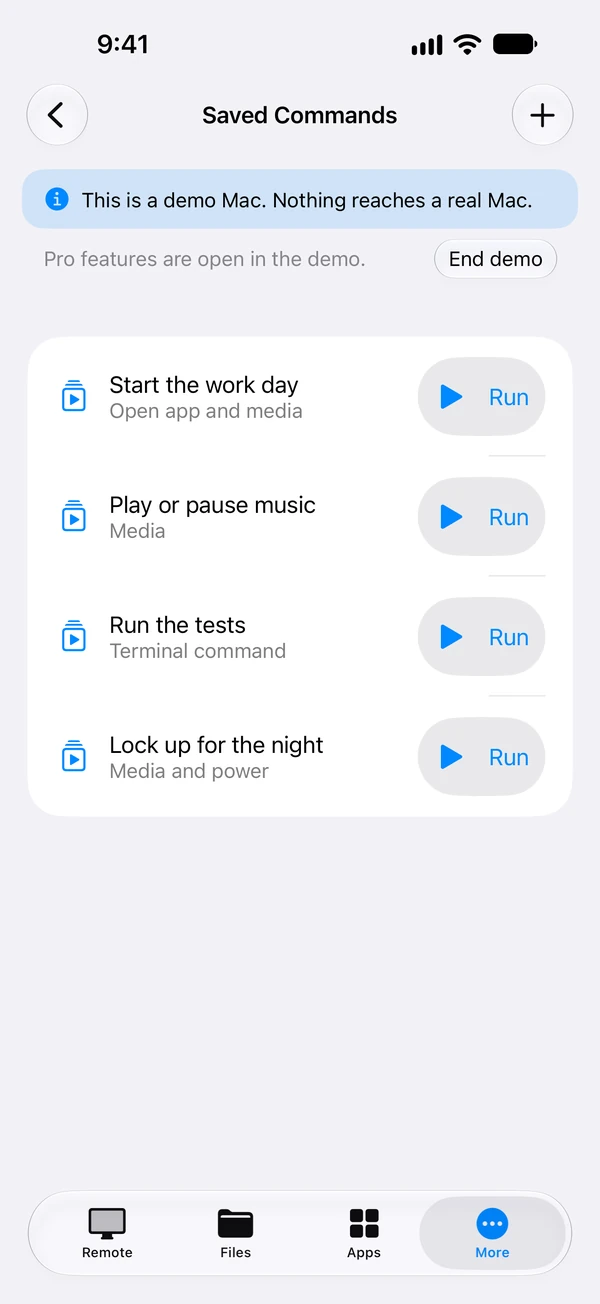
Saved Commands in the demo: Start the work day, Play or pause music, Run the tests and Lock up for the night, each with a Run button.

Saved commands

Keep your own commands, like Start the work day, and press Run when you need one.

How to set up

  1. Install

    One app on your iPhone, one in your Mac's menu bar.

  2. Pair

    Your Mac shows a code, and you say yes on both devices.

  3. Allow

    On your Mac, allow only what you want your iPhone to use.

Free at home. Pro for the rest.

Free

  • On home Wi-Fi, for one Mac
  • Screen, trackpad and keyboard
  • Media and power

Pro

  • Try it free for 14 days
  • Buy once, no subscription
  • Away from home, with Tailscale
  • Files, Apps, Terminal, Clipboard and more

Questions

Do I need the Mac helper?

Yes: your iPhone talks to a small PocketMac app in your Mac's menu bar. It is not out yet.

Does it work without internet at home?

Yes. On your home Wi-Fi, your iPhone and Mac talk directly, never through our servers.

Must my Mac be on and awake?

Yes, PocketMac cannot wake a sleeping Mac. Keep awake holds it awake while you are connected.

What is free?

The screen, trackpad, keyboard, media and power, for one Mac on home Wi-Fi. Pro adds the rest, with a free 14-day trial.

How does pairing keep strangers out?

Pairing needs a code from your Mac and a yes on both devices. Nothing runs for an iPhone that is not paired.

Which Macs and iPhones work?

A Mac with macOS 26 or later, and an iPhone with iOS 26 or later.